Share your product enhancement ideas with us.
We value your input, and we have launched this forum to collect your suggestions on how we can improve our products and make the user experience even better!
|
•
|
Enter your email address in the Email field |
|
•
|
Enter your CRC password in the Password field. |
Note: If you don’t have a CRC log-in, please contact your manager, or lead support contact in your organization to request access to the CRC.
|
2.
|
(Optional) Select Popular, Recent, or Oldest from the drop-down to review ideas submitted by other users. |
|
4.
|
Complete the information in the Post an Idea window. |
Note: Please post only one idea per submission, but you may submit as many ideas as you would like.
 icon in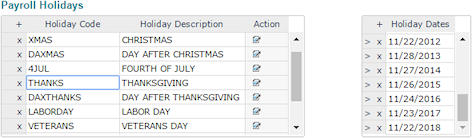
 next to a holiday. The existing Holiday Dates for that holiday populate.